What is the resolution of a LCD screen?

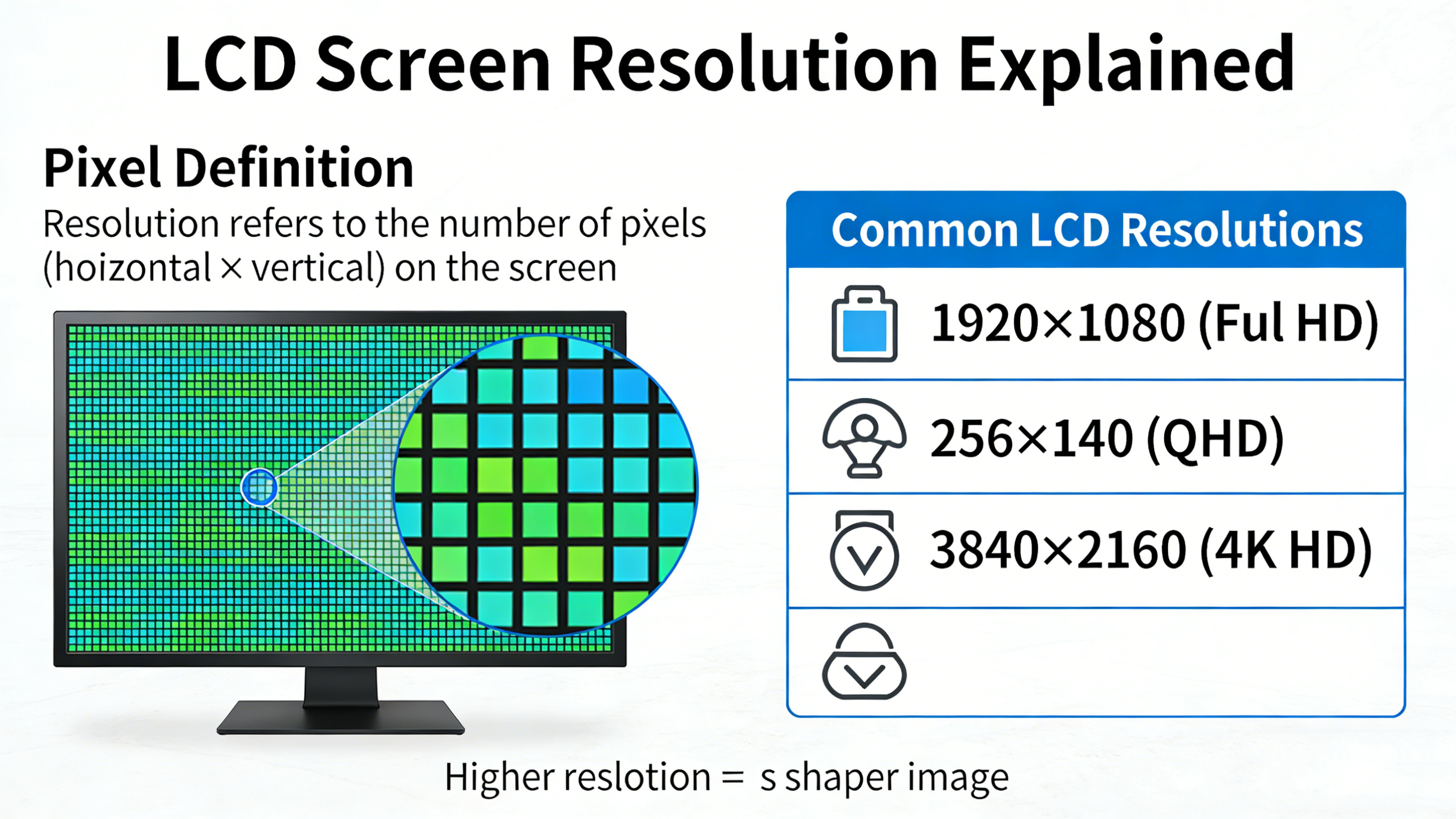
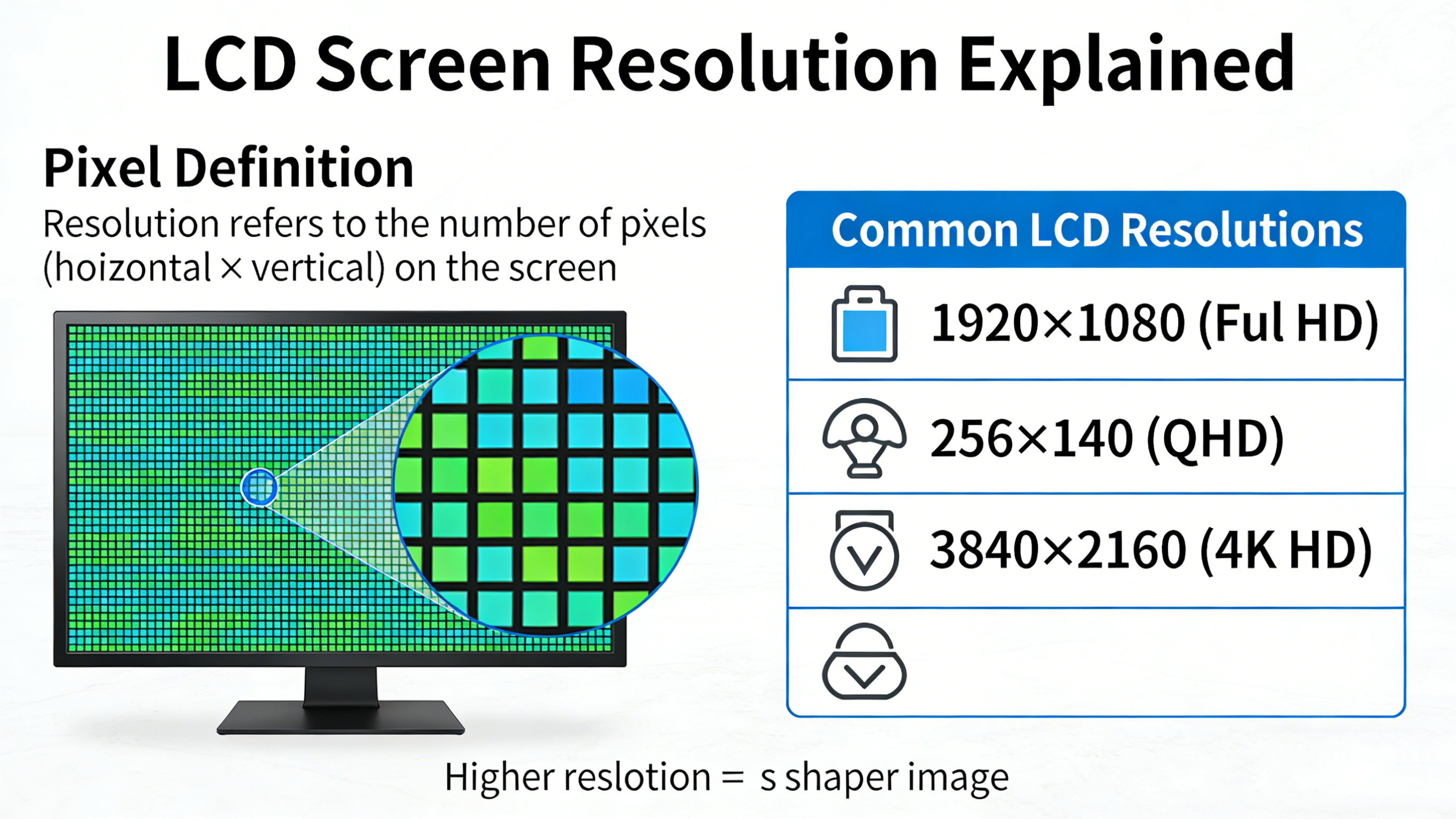
Resolution refers to how many pixels a LCD screen is composed of, represented by the number of horizontal pixels multiplied by the number of vertical pixels For example, a 1920 × 1080 screen has 1920 pixels (columns) and 1080 pixels (rows)
What is the resolution of a LCD screen?
Let's systematically explain the resolution of LCD screens. This is one of the most essential parameters when choosing a screen. By understanding it, you can understand why some screens look delicate while others look rough, and why screens of different sizes have different resolutions.
1. What is resolution?
Resolution refers to how many pixels a LCD screen is composed of, usually expressed as the number of horizontal pixels multiplied by the number of vertical pixels.
For example, a 1920 × 1080 screen means it has 1920 pixels (columns) and 1080 pixels (rows).
Total number of pixels: The entire screen is composed of approximately 2073600 pixels, which is 1920 × 1080.
You can imagine it as a huge grid composed of countless small light bulbs (pixels). The denser the grid (the higher the resolution), the more details can be displayed in the image.
2. Relationship between resolution and image quality: PPI
Many people mistakenly believe that the higher the resolution, the better the picture quality. Actually, there is a key concept here called PPI (Pixels Per Inch).
The definition of PPI: It represents how many pixels are arranged within a length of one inch. PPI is the true standard for measuring screen delicacy.
Formula: PPI is determined by both resolution and screen physical size.
At the same size, the higher the resolution, the higher the PPI, and the finer the image quality.
At the same resolution, the smaller the screen size, the higher the PPI, and the finer the image quality.
For example:
7-inch 800 × 480 screen: PPI is approximately 133. If you look up close, you may feel a grainy sensation.
7-inch 1920 × 1080 screen: PPI is approximately 315. This has reached the level of the retina, with almost no visible pixels to the naked eye, very delicate.
Comparison: The early iPhone 3GS (3.5-inch, 480 × 320) had a PPI of 165. The iPhone 4 (3.5-inch, 960 × 640) has a PPI of 326, and its screen is called the "Retina Screen".
3. Resolution and screen ratio
Resolution not only determines clarity, but also determines the aspect ratio of the screen.
4: 3-ratio: relatively square, suitable for old-fashioned displays or some industrial equipment. Common resolutions: 800 × 600, 1024 × 768.
16: 9-aspect ratio: Standard widescreen, suitable for watching high-definition videos and playing games. Common resolutions: 1280 × 720 (720P), 1920 × 1080 (1080P).
16: 10 aspect ratio: slightly higher than 16:9, it can display a few more lines of content during document processing or web browsing, commonly seen on some tablets and portable displays. Common resolutions: 1280 × 800, 1920 × 1200.
Special ratio: For example, an ultra long bar screen used for advertising machines and cash registers, with a resolution of 280 × 1424 or other irregular shapes.
4. Resolution selection in different application scenarios
Scenario 1: Industrial control, vehicle mounted rearview, simple human-machine interface
Common resolutions: 800 × 480 (WVGA), 480 × 272 (WQVGA)
Reason: These devices usually only display simple icons, text, or video signals, and do not require high sensitivity. Choosing classic resolution can significantly reduce costs, and the driving scheme is very mature and stable.
Scenario 2: Raspberry Pi DIY, HD portable monitor, tablet computer
Common resolutions: 1024 × 600 (WSVGA), 1280 × 800 (WXGA), 1920 × 1080 (FHD)
Reason: These scenarios require displaying richer content, such as web pages and high-definition videos. 1280 × 800 is already very delicate on a 7-inch screen, while 1920 × 1080 can display full HD videos point-to-point, achieving the best viewing effect. Scenario 3: Professional Medical, Industrial Vision, High end Design Equipment
Common resolutions: 1920 × 1080 (FHD), even 2K (2048 × 1536) or 4K (3840 × 2160)
Reason: Medical imaging (such as X-rays) or precision instrument detection require the ability to see extremely small details clearly, relying on ultra-high resolution and extremely high contrast.
5. Common resolutions commonly known as (standard)
In the industry, many resolutions have their own names, and understanding these will help you see parameters more clearly:
QVGA: 320 × 240 (commonly used for old-fashioned MP4 or industrial control screens)
VGA: 640 × 480 (standard for early CRT monitors)
WVGA: 800 × 480 (the most common entry-level resolution for 7-inch screens)
SVGA:800×600
WSVGA: 1024 × 600 (one of the mainstream choices for 7-inch screens)
XGA:1024×768
WXGA: 1280 × 800, 1366 × 768, etc. (high-end choice for 7-inch screen)
FHD (Full HD): 1920 × 1080 (Full HD)
UHD (Ultra HD): 3840 × 2160 (4K Ultra HD)
summary
The resolution of a LCD screen can be summarized as follows:
Quantity: It is the total number of pixels that determine how many "grids" there are in the image.
Density: PPI (pixel density) is the key factor determining clarity, which is determined by both resolution and screen size.
Proportion: It determines the shape of the screen (widescreen or square screen).
Choice: The higher the resolution, the better, but the higher the cost, power consumption, and hardware driver requirements. The best resolution is suitable for your scene. For example, displaying only a few lines of text, 800 × 480 may be more practical and cheaper than 1920 × 1080.
Auo LCD display:https://www.idtdisplay.com/products/AUO_LCD_Displays/
INNOLUX LCD DISPLAY:https://www.idtdisplay.com/products/innolux-lcd/