
By IDT Display Engineering Team | Published:| Updated:
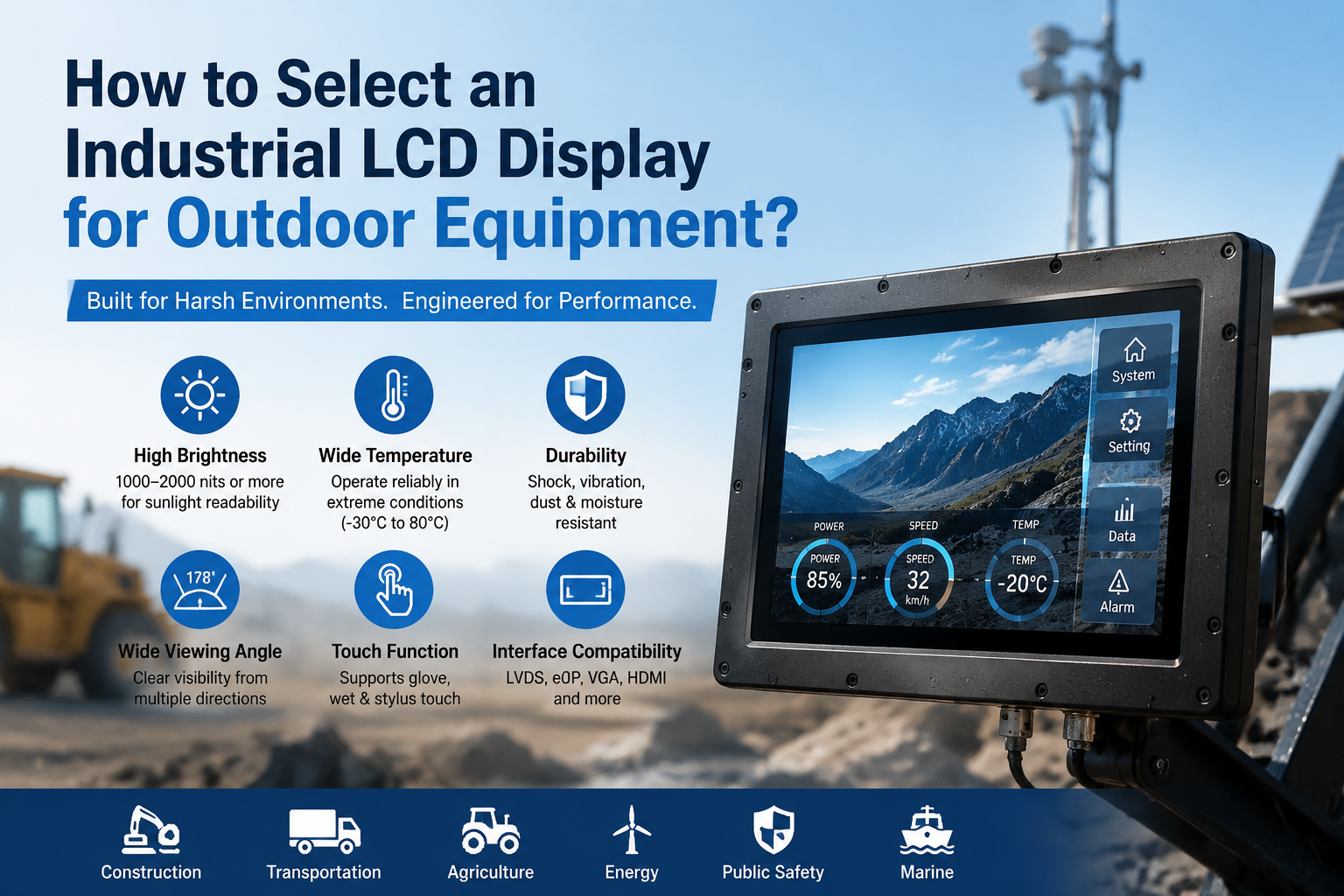
Quick answer: Selecting an industrial LCD for outdoor equipment requires more than choosing a high brightness value. Engineers must evaluate ambient light, optical construction, operating temperature, interface compatibility, mechanical fit, power and thermal design, environmental sealing, supply lifecycle and field-service requirements as one complete system.
Why outdoor LCD selection is different
An LCD that looks excellent in an office can become difficult to read, overheat or fail prematurely when installed in outdoor equipment. Direct sunlight can be tens of thousands of lux. The enclosure may experience rapid temperature changes, condensation, vibration, dust, rain and long periods of continuous operation. A successful outdoor display therefore depends on the panel, touch sensor, cover glass, bonding method, backlight, controller, enclosure and thermal design working together.
The first engineering step is to define the real operating condition. “Outdoor” may mean a shaded ticket machine, a vehicle-mounted terminal used in direct sun, a marine control panel, a charging station or a handheld instrument. These applications do not have identical brightness, temperature or protection requirements. A written use-case specification prevents costly overdesign and avoids selecting a panel that performs well only in a laboratory.
Outdoor industrial LCD selection checklist
| Selection factor | Questions to confirm | Engineering risk if ignored |
|---|---|---|
| Ambient light | Will the display operate in shade, bright daylight or direct sunlight? | Low contrast, glare and unreadable content |
| Brightness and dimming | What luminance is required, and must brightness adjust at night? | Poor sunlight readability, excess heat or driver distraction |
| Optical stack | Is anti-glare glass, optical bonding or a touch sensor required? | Internal reflection, parallax, condensation and reduced contrast |
| Temperature | What are the startup, operating and storage temperature limits? | Slow response, image degradation, backlight or electronic failure |
| Mechanical compatibility | Do outline dimensions, active area, mounting holes and connector position match? | Enclosure redesign and installation delay |
| Electrical interface | Is the system LVDS, eDP, MIPI, RGB or another interface? | No image, unstable timing or incompatible controller |
| Environment | What sealing, vibration, shock, UV and corrosion protection is needed? | Field failures and shortened service life |
| Lifecycle | How long must the model remain available, and is a replacement plan required? | Unexpected redesign caused by panel discontinuation |
1. Define the sunlight-readability target
Brightness is usually expressed in cd/m², often called nits. A higher number can improve visibility, but brightness alone does not guarantee outdoor readability. Perceived readability is determined by the contrast between the displayed image and reflected ambient light. A panel behind multiple unbonded surfaces may have high luminance while still appearing washed out.
Start with the worst realistic viewing condition, not the average condition. Note whether the sun can strike the screen directly, the viewing distance, the information density, the required viewing angle and whether users wear polarized sunglasses. For equipment that operates both day and night, include backlight dimming. Excessive nighttime brightness is uncomfortable and wastes power, while operating the backlight at maximum output continuously can increase temperature and reduce backlight life.
2. Control reflections with the complete optical stack
The optical stack may include the LCD, air gap, touch sensor, adhesive, cover glass and surface coating. Every boundary can reflect light. Optical bonding fills the air gap with a transparent adhesive, reducing internal reflections and improving apparent contrast. It can also reduce parallax and limit moisture accumulation between the display and cover lens.
Anti-glare treatment diffuses reflections but may slightly reduce sharpness if selected too aggressively. Anti-reflective coatings can preserve clarity while reducing reflection, but coating durability and cleaning chemicals must be considered. If a projected-capacitive touchscreen is required, confirm performance with the final cover-glass thickness, gloves, water exposure and electrical noise. Resistive touch remains useful where pressure-based operation or heavy gloves are required. IDT Display supports custom industrial touchscreen evaluation and integration.
3. Specify temperature at startup and during operation
Outdoor enclosures can become much hotter than the surrounding air because of solar loading, backlight power and electronics. The panel temperature should therefore be estimated inside the final enclosure. At low temperature, liquid-crystal response may slow and motion can smear. At high temperature, contrast, polarizers, backlight components and driver electronics may be affected.
Do not rely only on a broad “wide-temperature” label. Review the exact operating and storage ratings in the manufacturer datasheet, and confirm whether the panel must start immediately at the minimum temperature. Thermal testing should include maximum backlight output, direct solar exposure where applicable and restricted airflow. A temperature sensor and automatic brightness reduction can protect the system under extreme conditions.
4. Match resolution, interface, timing and controller
A replacement panel must match more than diagonal size. Confirm native resolution, pixel format, interface type, channel configuration, voltage, connector, pin assignment, timing and backlight control. LVDS and eDP are not interchangeable, and two LVDS panels may still use different connectors or pinouts. Mechanical outline, active-area position and connector location must also be checked.
If the host system cannot directly drive the selected panel, an LCD controller board may convert HDMI, DVI or VGA input to the panel interface. Controller selection must be based on the exact panel model and timing data. A sample should be tested for image stability, color, dimming, wake-up behavior and electromagnetic compatibility before production approval.
5. Evaluate viewing angle, color and polarizer behavior
Outdoor equipment is often viewed from above, below or from the side. IPS and other wide-view technologies can provide more stable contrast and color across angles, while some TN panels are optimized for a particular viewing direction. The correct choice depends on the installation height and user position.
Polarizer orientation matters when users wear polarized sunglasses. A display can become very dark at certain rotations if the orientations conflict. Test the finished optical stack in the actual mounting orientation. If accurate color is important, evaluate it at the intended brightness and temperature rather than relying only on nominal panel specifications.
6. Design for enclosure protection and service life
The LCD itself is not a complete weatherproof assembly. The enclosure and cover lens provide protection from water, dust, impact and UV exposure. Specify the required ingress-protection level for the complete equipment, choose suitable gaskets and adhesives, and prevent trapped moisture. Outdoor plastics, printed inks and adhesives should be evaluated for UV stability.
Vibration and shock requirements influence mounting design, cable retention and connector selection. Allow for thermal expansion without placing stress on the glass. For long-life equipment, plan how the display can be serviced and how stored configuration data, cables or brackets will support a future replacement model.
7. Plan supply continuity before design freeze
Industrial projects often remain in production far longer than consumer display cycles. Ask about model status, realistic lead time, order quantity and notification procedures. Keep the exact manufacturer model and revision in the bill of materials. “Compatible 15.6-inch LCD” is not an adequate purchasing description.
Where lifecycle risk is high, qualify an alternative while the original model is still available. Cross-reference engineering should compare electrical, optical and mechanical characteristics and then validate a sample in the final system. Browse IDT Display’s AUO LCD displays, Innolux LCD displays and Tianma LCD displays to identify candidate industrial panels.
Example panels for engineering evaluation
- Tianma P1330FHF1MA00 13.3-inch high-brightness industrial LCD
- Tianma P1400FHF1MA00 14-inch industrial LCD
- Tianma P1560FHF3MB00 15.6-inch industrial LCD
- AUO G057QAN01.0 5.7-inch industrial LCD
These links are starting points, not automatic substitutes. Final suitability must be verified against the current datasheet and tested in the customer’s equipment.
Request an outdoor LCD recommendation
Send the original panel model, required size and resolution, interface, brightness target, temperature range, cover-glass or touch requirements, annual quantity and application environment. IDT Display can help evaluate industrial LCD panels, touchscreens, optical bonding, cables and controller-board options.
Frequently Asked Questions
How bright should an outdoor industrial LCD be?
There is no universal value. Required brightness depends on direct sunlight, reflected light, optical bonding, cover glass, viewing distance and content. Define the worst viewing condition and evaluate the complete optical stack.
Does high brightness automatically make an LCD sunlight readable?
No. Reflections from air gaps, touch sensors and cover glass can reduce apparent contrast. Brightness, bonding, coatings, enclosure angle and thermal design must be considered together.
Is optical bonding required for every outdoor display?
Not always, but it can significantly reduce internal reflection, improve contrast, reduce parallax and limit moisture in the optical gap. The cost and process should be evaluated against the application.
Can a same-size LCD replace the original panel?
Not without verification. Resolution, interface, pinout, timing, voltage, outline dimensions, active area, mounting points, backlight and temperature ratings must all be compatible.
Can IDT Display provide a touchscreen and controller with the LCD?
Yes. Depending on the project, IDT Display can support projected-capacitive or resistive touch, custom cover glass, optical bonding, cables and LCD controller-board matching.