How to calculate the size of an LCD screen?

The size of a LCD screen (in inches) refers to the length of the diagonal of the screen Knowing the width and height of the display area, use the Pythagorean theorem to calculate the diagonal
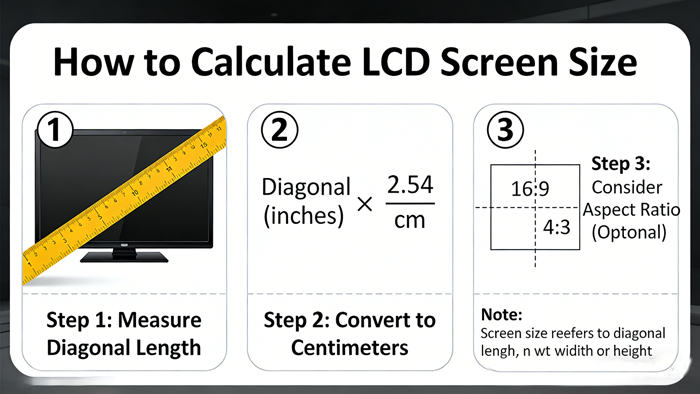
The size of a LCD screen (in inches) refers to the length of the diagonal of the screen, measured in inches (1 inch=2.54 centimeters).
The calculation method for LCD screen size is as follows:
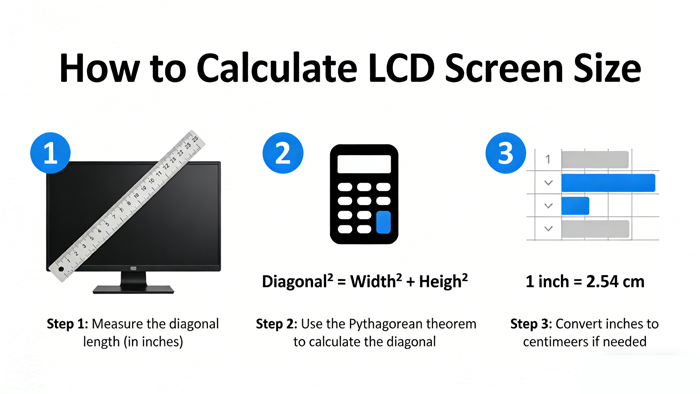
1. Measure or find length and width data
Firstly, you need to know the width and height of the screen display area (usually measured in millimeters or centimeters).
2. Use Pythagorean theorem to calculate diagonals
Because the screen is rectangular, the diagonal divides it into two right angled triangles. According to the Pythagorean theorem:

3. Unit conversion
After calculating the length of the diagonal, convert the unit to inches:
Screen inches=diagonal length (cm)/2.54
or
Screen inches=diagonal length (millimeters)/25.4
Example verification (such as 4.3-inch screen)
Taking the common 4.3-inch screen with a resolution of 480x272 or 800x480 as an example, its display area size is usually:
Width: 95.04 millimeters
Height: 53.856 millimeters
Calculation process:
1. Calculate diagonal (in millimeters):

2. Converted to inches:
109.24 ÷ 25.4 ≈ 4.3 inches
This results in what we usually refer to as a 4.3-inch screen.
Several points to note
Physical size vs visual size: Sometimes the "xx inch" advertised by manufacturers refers to the size of the entire shell frame, but strictly speaking, the standard "screen size" refers to the diagonal of the visible area (the glass on which the image is displayed).
The aspect ratio is different, and the visual size is also different: both are 4.3 inches. If it is a square screen (such as an old-fashioned monitor in the past) and a widescreen now, although the diagonal length is the same, the actual area is different. Usually, a widescreen (such as 16:9) with the same diagonal length will have a slightly smaller area than a screen that is close to a square (such as 4:3).
Resolution does not equal size: Resolution (such as 1920x1080) only determines the fineness of the image, not the physical size of the screen. A 4.3-inch phone and a 24 inch monitor can both have a resolution of 1920x1080, but the PPI (pixel density) is vastly different.
Summary:
To know the size of a LCD screen, simply measure the length and width of the display area, use the Pythagorean theorem to calculate the hypotenuse, and then divide by 2.54 centimeters or 25.4 millimeters.
AUO LCD DISPLAY:https://www.idtdisplay.com/products/AUO_LCD_Displays/
CHIMEI LCD DISPLAY:https://www.idtdisplay.com/products/innolux-lcd/